
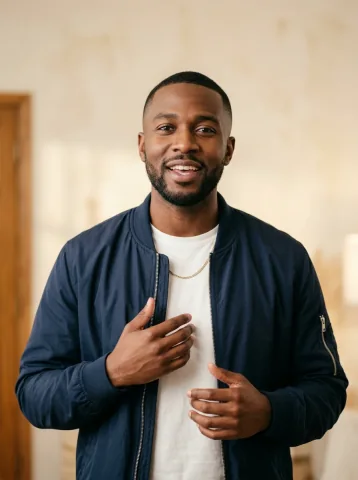
One face fills five distinct band roles
The brief asks for five people in the same room at the same time, each with your appearance and their own role. It does not ask one performer to change outfits between cuts. The lead takes the microphone, two singers react behind them, and the keyboard and sax players have separate instruments.
For different people in each role, leave the switch off and use the individual portrait map. A whole group photo is another option: its people perform together at the front instead of sharing one identity.
Set up your one-person Tiny Desk AI band in four steps
- Open Outstanding band. Keep Individual portraits selected. The all-role option belongs to this scene.
- Enable Use my face for every role. Add one well-lit adult portrait to the lead position. The map mirrors it across five positions; you do not need to upload five copies.
- Review the local storyboard. Check the full-band view, lead close-up, instrumental moment and finale. Play or scrub through the illustrated sequence. It is free and stays in your browser.
- Confirm your format and generate. Choose HD or Full HD and a video shape. If you need credits, select a pack. After payment, return to review and confirm generation.
Existing portraits in other roles stay on your device when you enable the switch, but only the active lead photo is submitted. Turn it off to return to individual casting.
Give the same face three different concert moods
A group-chat encore
Use the bookshelf room and matching tracksuits for a playful band made entirely of you. Label the finished clip as AI-generated when sharing.
A one-person office band
Choose the office room and formal clothing for your own end-of-week celebration. Use your own likeness, not an unconsenting colleague’s.
An after-hours solo project
Choose warm night lighting and cozy sweaters for a quieter mood. The cast still has five separate performers.
One-person band pricing is per video, not per face
One HD video is 9.90 USD for 15 seconds at 720p; one Full HD video is 29.90 USD for 19 seconds at 1080p. Each uses one credit of its quality. Repeating your face does not multiply the cost. See one-time video packs.
New setups are silent. Optional AI background music creates an original instrumental; it does not include the Outstanding recording or exact-song lip sync.
Start with a clear portrait and realistic expectations
Keep your face unobstructed and use the original image rather than a small screenshot. Check file and photo requirements before submitting. AI likeness and instrument movement can vary; background faces may differ from the close-up. If a result loses facial detail, use the face-consistency checklist before spending another credit.
Do I need five copies of the same photo?
No. Choose Outstanding band and Individual portraits, enable Use my face for every role, and add one clear adult portrait to the lead position. The generation brief assigns that single identity to all five performers.
Does one person playing five roles cost five credits?
No. One generation uses one matching video credit, regardless of how many band roles share your face. HD and Full HD use separate credit types.
Will all five faces be identical?
The prompt requests the same recognizable identity across five separate performers. AI output can vary, especially across camera cuts and small background faces. The local storyboard explains casting; it is not a likeness test.
Can I use a whole group or a pet in this mode?
This mode takes one adult portrait. For several people together, switch to One group photo in Outstanding band. For a cat or dog, use pet mode in Soul session or Indie session. Those are different input modes, not one-person-band cloning.