
The listening notes
The Outstanding Tiny Desk AI trend explained
A little desk, a full band and someone you recognise on the mic. Here is the story behind the format, plus a practical way to turn your own photos into a new performance.
What is the Outstanding Tiny Desk AI trend?
The phrase brings together The Gap Band’s song “Outstanding,” Charlie Wilson’s Tiny Desk performance and AI reinterpretations of a close-packed band behind a desk. The surprise is the casting: a familiar face appears where you expect a musician.
Different tools use different methods. Some replace people in an existing clip; others build a fresh performance from reference photos. That distinction changes the camera movement, soundtrack and result you should expect.
The meme, frame by frame
Four shots in the Outstanding Tiny Desk AI trend
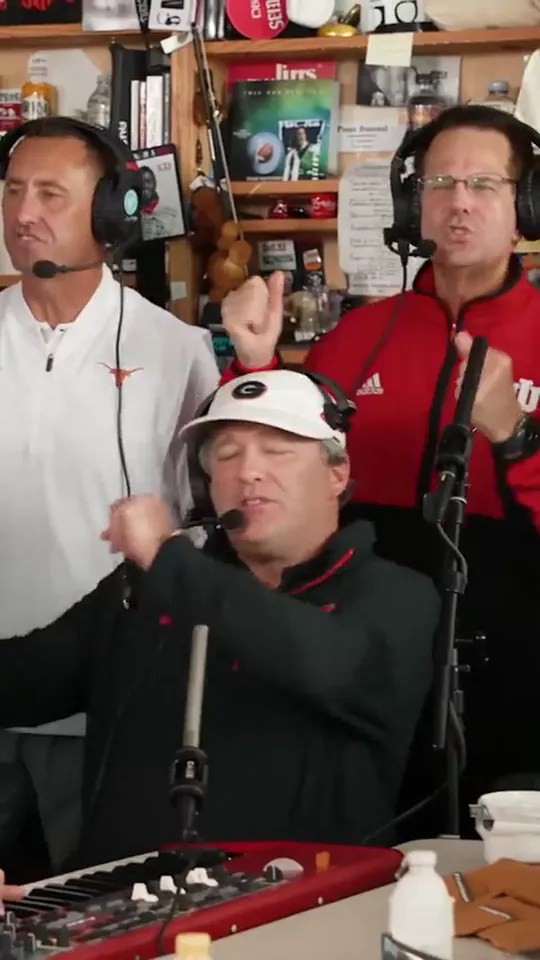
The desk-concert opening
The opening brings the lead and backing singers together around a crowded desk, with records and shelves filling the room.
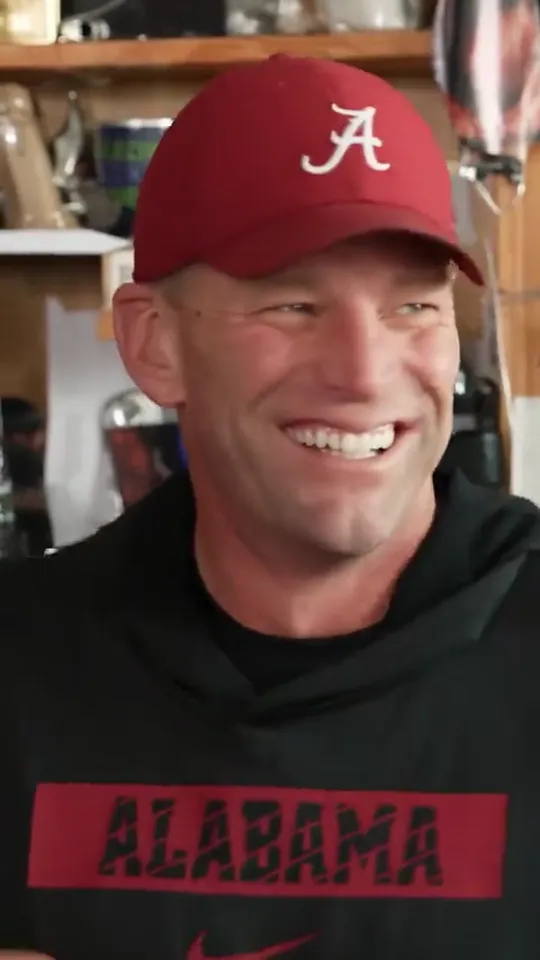
Lead singer close-up
A closer frame makes the singer’s expression the centre of attention, giving the performance a more personal feel.
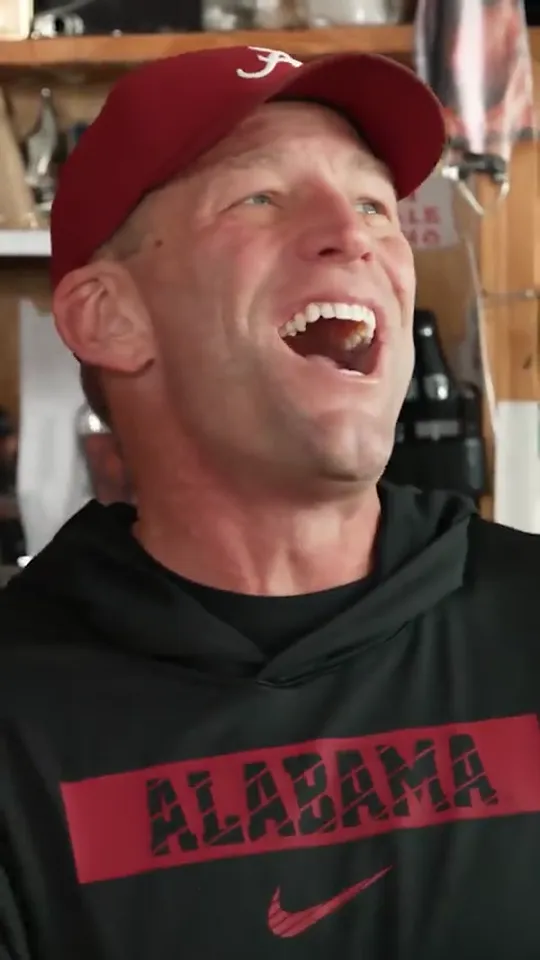
Laughing reaction shot
A burst of laughter breaks up the singing and adds the spontaneous energy of friends sharing a small stage.
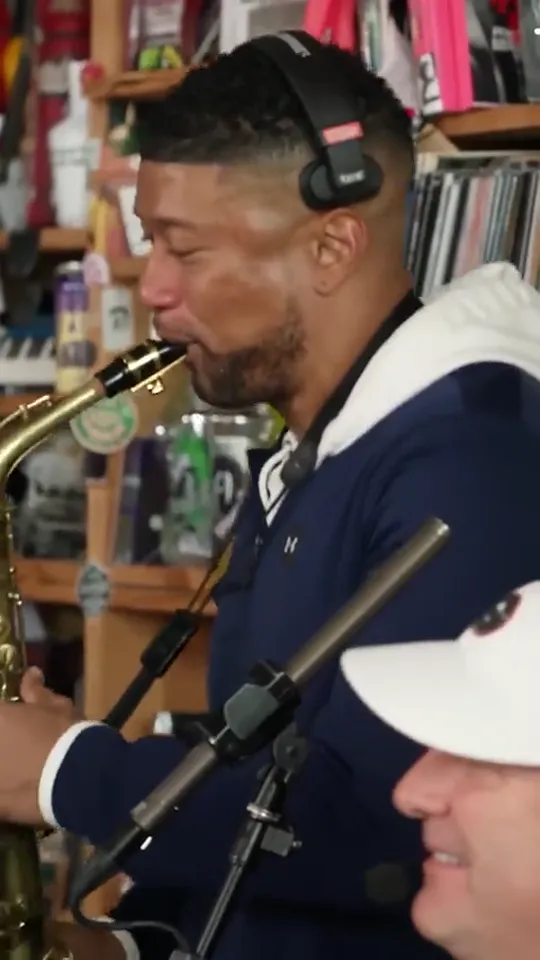
Saxophone solo
The focus shifts to the sax player, giving another member of the band a moment in the spotlight.
Trend reference frames, not videos made with this tool. Your performance is newly generated; camera shots and expressions can vary.
Outstanding Tiny Desk AI: song, concert and meme
The dates below belong to the original record and concert, not this guide’s publication. Three workflow choices then take the idea into your own AI video.
1982 · The record
“Outstanding” on Gap Band IV
The Gap Band’s album gave the song its home, with Charlie Wilson on lead vocals. The label’s history places the album in 1982.
· The performance
Charlie Wilson at the Tiny Desk
NPR published Wilson’s desk concert with “Outstanding” in the set list. The intimate setting supplies the visual reference. Read NPR’s original concert notes.
The reinterpretation
AI casting turns the concert into a meme
In an AI version, recognition does the work: someone you know takes the mic, joins the backing singers or picks up the sax. The resulting scene is synthetic, even when it resembles a live performance.
Your version
Choose your own AI band cast
Start with your own portrait or consenting adult friends. Choose a five-person band, a two-singer duet, one person in every role, or a solo lead with fictional bandmates. Each mode gives you the matching photo slots.
A new scene
Preview and generate your Tiny Desk AI video
Check the local storyboard, choose a format and confirm a new performance. Download the finished MP4 and describe it as AI-generated when you post.
The record and concert dates are linked above. The final three stops follow the idea into your own workflow.
Side B · Make it yours
How to make your own Outstanding Tiny Desk AI video
Choose your cast mode and portraits.
Five-person band shows all five roles and accepts one to five separate portraits. Duo duet needs two portraits; One-person band reuses one likeness across all five roles; Solo spotlight gives one lead a fictional backing band. Use consenting adults, visible eyes and even light. Crop a group photo into individual portraits yourself before uploading. See the photo checklist.
Set the quality and frame.
HD uses Seedance 2.0 Fast for 15 seconds at 720p. Full HD uses Seedance 2.5 for 19 seconds at 1080p. Compare models, frame sizes and prices. Both offer 9:16 portrait and 16:9 landscape. A single HD video is $9.90; a single Full HD video is $29.90. Compare every pack.
Check the free storyboard.
Choose a set, optional clothing instructions and sound. Confirm photo permission, then preview the cast and camera plan without signing in or paying. This uses local photos; it does not generate footage or predict final likeness.
Sign in and confirm your video.
Google sign-in keeps your credits and results together. If you need credits, choose a matching pack in the preview. Checkout saves a local recovery setup for up to 24 hours; buying credits does not start generation. Return to your setup, check permission again and confirm when ready.
Download and give it context.
Follow the task in My videos and download within seven days. Watch the result before sharing. Use a caption that makes the AI origin clear, and use only audio you have permission to add.
Five common Tiny Desk AI video problems and fixes
My face looks different.
Check that the lead photo is sharp, faces forward and has no heavy filter or obstruction. A better reference can help, but exact likeness is never guaranteed. If a completed video has a serious technical problem, report the job ID for review before spending another credit.
A person is in the wrong role.
Check the selected cast mode first. Five-person band has lead, left and right backing vocals, keyboard and sax; Duo duet has left and right co-leads. One-person band deliberately uses one likeness for all five performers, while Solo spotlight keeps that likeness on the lead only. Left and right follow the viewer’s perspective. Use one adult per photo. The storyboard checks your assignment; the model can still make mistakes in the finished performance.
The outfit or framing is not what I expected.
Keep clothing instructions specific and short, such as “plain cream shirts.” Choose 9:16 or 16:9 before generation and inspect the frame in the preview. Clothing and camera movement are requests, not exact guarantees; changing a finished video’s setup means a new generation.
My photo will not open.
Use JPG, PNG or WebP under 10 MB, with each edge between 300 and 6,000 pixels. Convert a HEIC file to one of those formats first. Avoid extremely narrow or wide crops. The browser prepares a smaller image locally before submission.
The job is stuck, failed or cannot be played.
Check My videos with the same Google account. If a submission was interrupted, Find existing video looks up that request without starting another. A confirmed failure returns its reserved credit; an uncertain task stays under review. For an unplayable result, contact support with the job ID. A credit return is not an automatic cash refund.
Read the failure and refund rules or get help with an existing job. Repeatedly pressing Generate is not a troubleshooting step.
Ready for the group chat
Tiny Desk AI video captions to copy
Pick a line, make it sound like you and keep the AI disclosure. These are original caption ideas for a newly generated performance.
For friends
We finally formed a band. The rehearsal was imaginary. AI-generated.
For the office
The meeting could have been a concert. Made with AI.
For a birthday
One birthday, a very small stage, an entirely AI-generated band.
For the sax player
We let our friend choose the instrument. AI did the rest.
For your solo debut
My desk-concert era has begun. This performance is AI-generated.
Keep it simple
Real friends. Fictional performance. Made with AI.
A caption does not replace a platform’s synthetic-media label. Use the available AI label when posting, and avoid implying an official appearance or artist endorsement. Hashtags do not guarantee reach.
Preview your Tiny Desk AI band for free
The first preview is free, local and account-free. Choose your cast before you decide on a video pack.
Build my concert setup